HeadTidy
Keep action beside the idea
A map is more useful when the supporting note, next action and deadline remain attached to the thought that created them.
Choose the card that matches the job
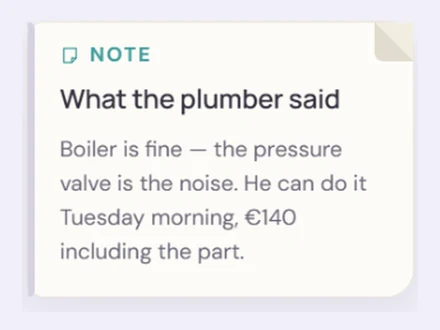
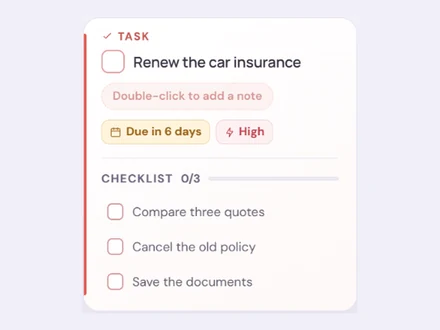
Use a short Thought for an idea, a Note for reference, a task for something that can be completed, and a Table when information belongs in rows and columns. Convert between compatible card types without throwing the original content away.

Capture by voice or keyboard
Type or speak an English command in Quick Capture. HeadTidy proposes the task, date, priority and matching branch it understood, then leaves the result editable before anything is created. The single-ring Quick Capture button stays out of the way in the lower-right corner. Voice availability depends on the browser; iPhone visitors get clear Safari, Siri and microphone guidance instead of a false listening state.
Let longer phone entries breathe
A short thought stays on its card. When phone text grows long enough to feel cramped, HeadTidy moves it into a calm full-screen writing mode with a word and character count, automatic saving and one clear route back to the map.
Save a link as a real card
Choose Link card and paste an http or https address. HeadTidy makes it clickable, opens it in a new tab and adds the page title, description and preview image when the site supplies them. If a site blocks metadata, the safe hostname fallback still works.
Add only the detail you need
Cards can carry notes, checklists, dates and optimised images. The canvas stays concise because supporting detail opens when you need it. Quick actions make it possible to complete, schedule, move, duplicate or convert a card close to where you are working.
See dated work once
Today collects cards with relevant dates from their original maps. Completing or editing one updates the source card, so there is no second task database to reconcile.
Keep tables lightweight
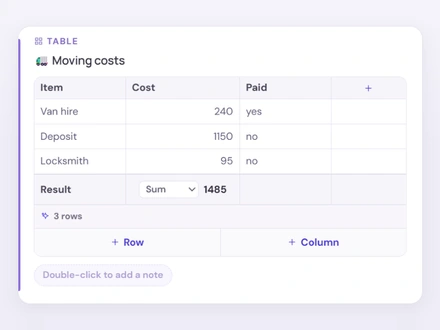
Tables are useful for comparisons, contact lists, budgets and trackers that belong inside a branch. Open the full table view for a dense spreadsheet-like workspace with scrolling rows, filters, sorting, grouping and a collapsible note.